This example shows how to set Threejs' Spotlight and present how to use helpers.
In the project below, you can change several parameters of the spotlight like intensity, penumbra, light distance, angle, position of the light and position of its target. You can also change shadows' parameters like shadow map size and the near/far of the shadows' camera.
Open in a new tabOne important parameter to set is the penumbra. If this parameter is set to zero, the quality of the penumbra will depend on the resolution of the object. Figure 1 shows some possible scenarios. In Figure 1.a penumbra is set to 0.5 and that's an interesting value in most of the cases. In Figure 1.b penumbra is set to zero, showing the resolution of the ground plane used. Figura 1.c shows a high resolution ground plane (400 x 400) with penumbra also set to zero. This configuration should be avoided due to its high computational cost. In general, it's better to use the penumbra parameter as 0.5 or higher to produce better visual effects.
The 'distance' parameter, when set to zero, light does not attenuate. When distance is non-zero, light will attenuate linearly from maximum intensity at the light's position down to zero at this distance from the light.
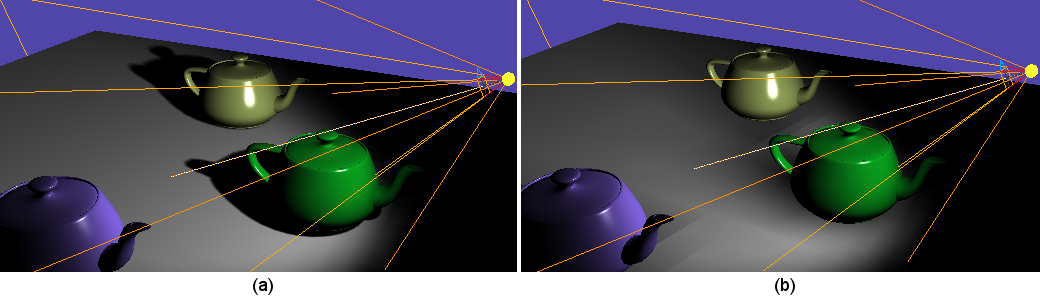
Finally, you must set de shadows' map size properly. Higher values give better quality shadows at the cost of computation time. See in Figure 2 what happens if you use the default value 512 (a) or 16 (b)